
Nothing can be sold without an open till, and the cash in the drawer is not accounted for until the till is closed.
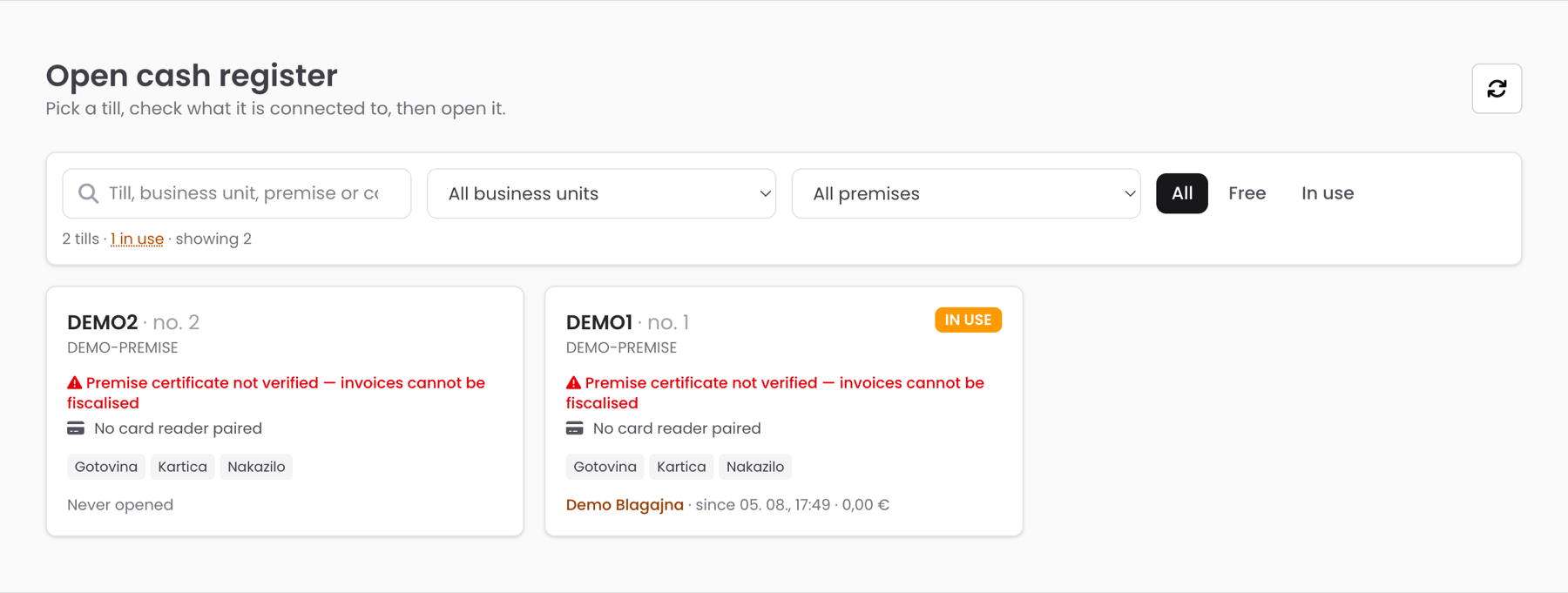
- Choose POS in the menu and pick the till you are working on.
- Enter the opening float — the cash in the drawer before you start.
- Check the two indicators: Fiscal register (receipts reach the tax authority) and Card reader (the terminal is connected). Report a problem before a queue forms.
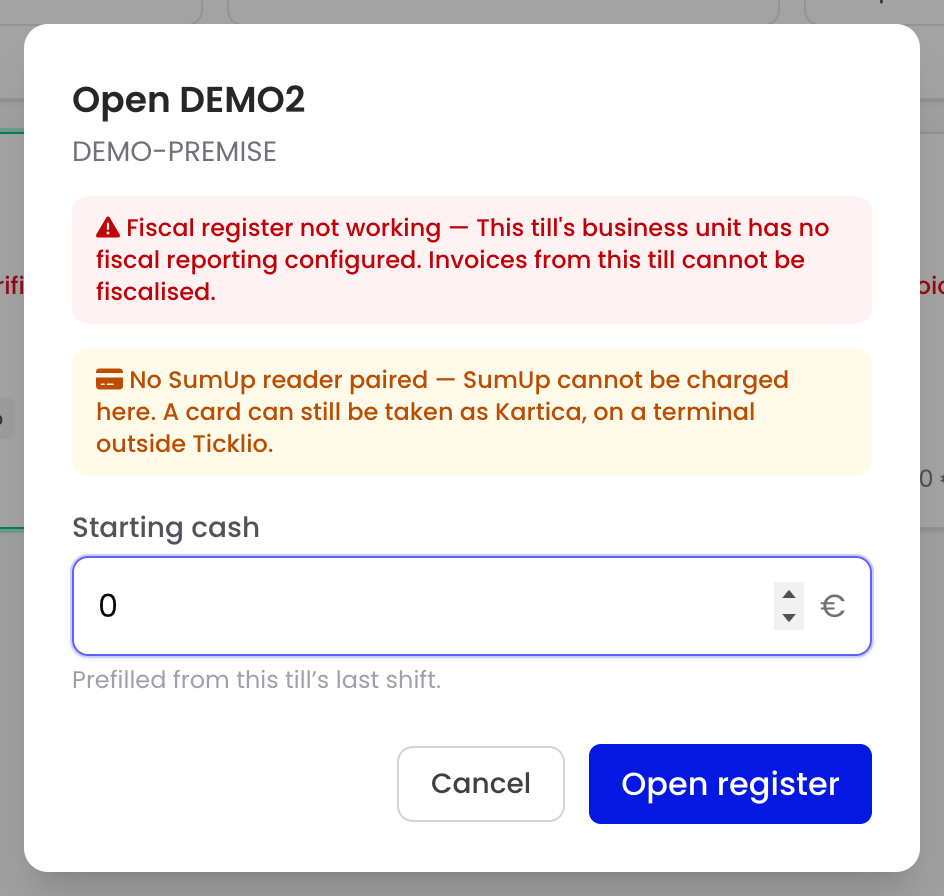
Enter the float accurately. At the end of the shift the till compares counted cash with what it expects.
What is on the screen
Along the top: Close register, search, the tabs (Events · Pass Categories · Shop) and the shift line — float, taken, in drawer, tickets and transactions. You sell on the left; the basket and previous orders are on the right.
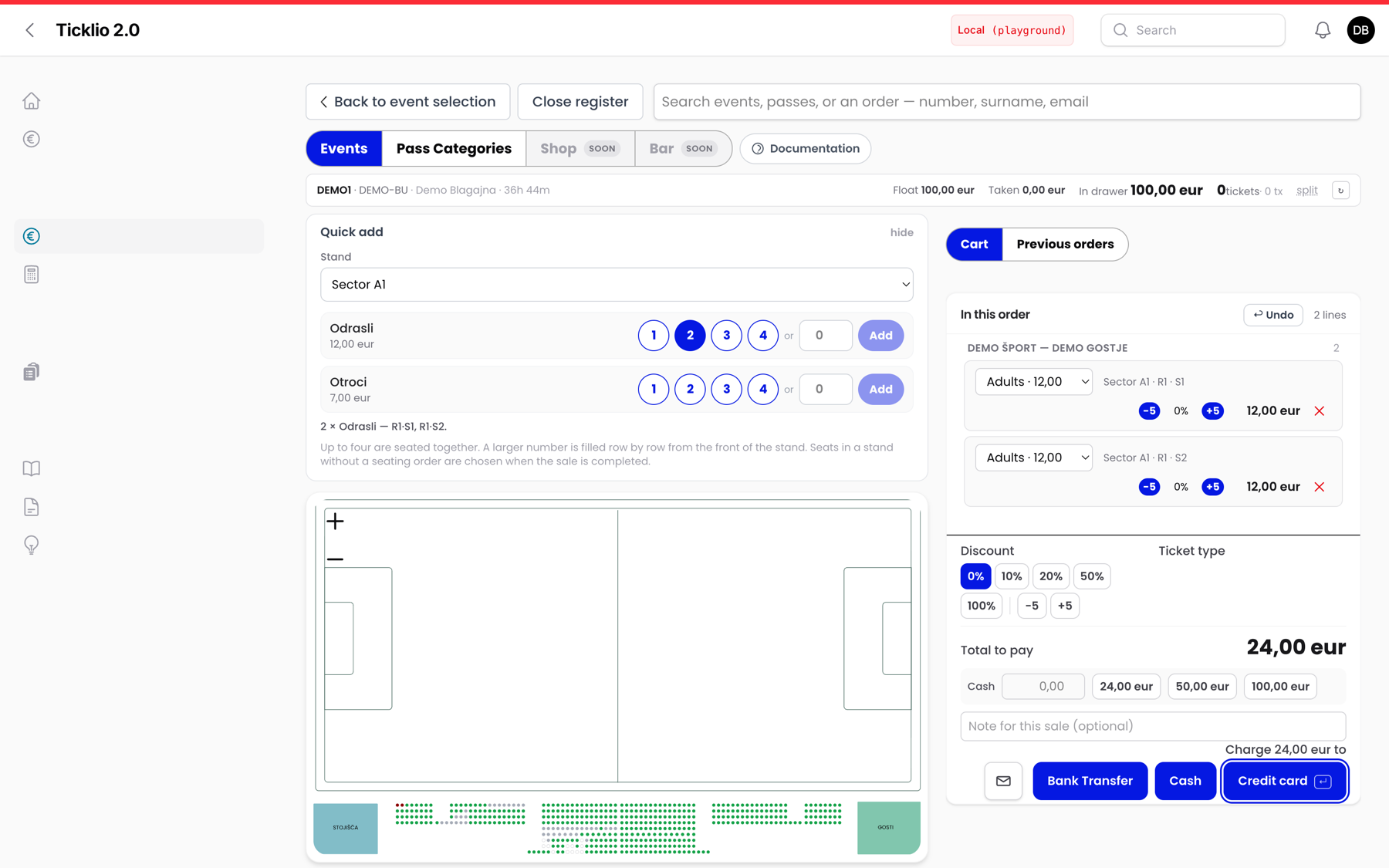
Which fixtures are listed depends on the event’s sales channels.